KOTAFI
Menu
Create your site

Financial advisor website integrations

Connect the marketing tools your firm already uses.

Add analytics, advertising, custom code, calculators, widgets, and privacy controls from one website workspace without rebuilding the site around each vendor.

Analytics connectionsCustom scriptsInteractive toolsVisitor privacy choices
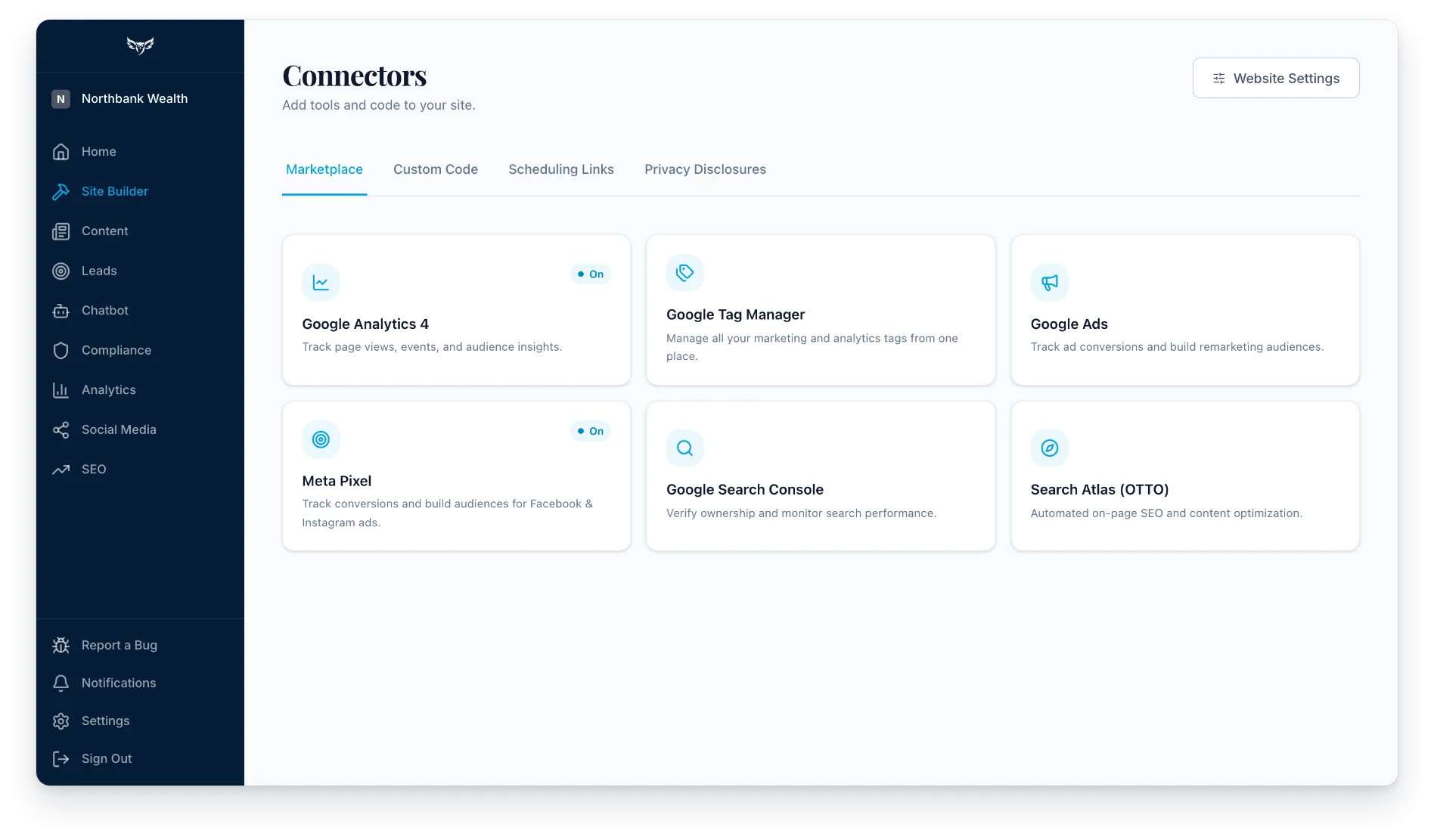
Kotafi's connectors: Google Analytics 4 and Meta Pixel switched on, with Tag Manager, Google Ads, Search Console and Search Atlas ready to add.

Keep the stack connected

Use specialized tools without turning your website into a patchwork project.

Kotafi gives firm administrators a clear place to connect common platforms, add specialized code, and manage how those tools appear to visitors.

01 · One-ID connections

Connect analytics and advertising tools with one ID.

Add common tracking without waiting for someone to edit templates or deploy code manually.
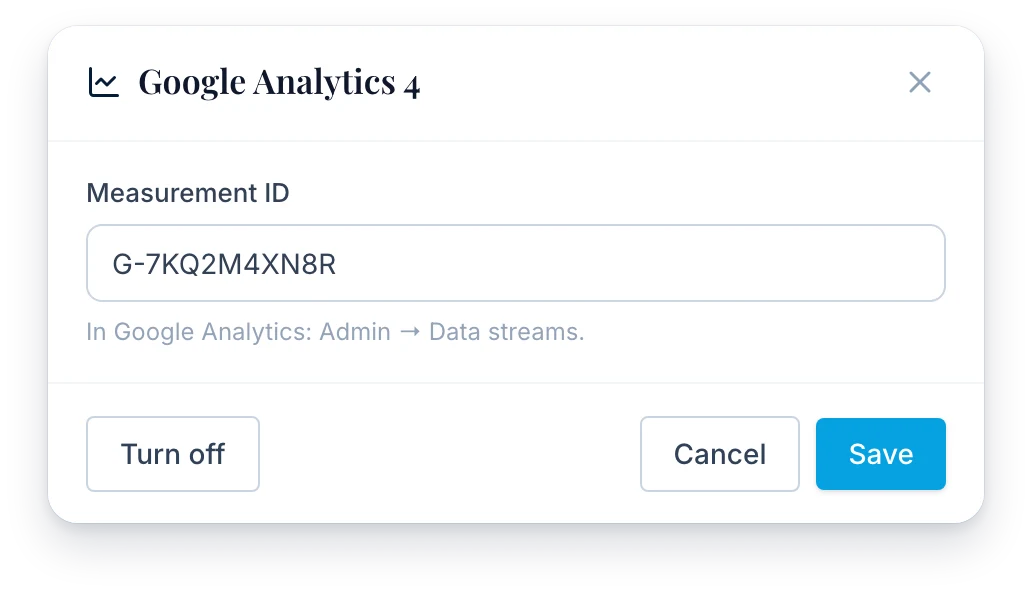

Connecting Google Analytics 4 in Kotafi: one measurement ID, then Save.

02 · Custom code

Add any approved vendor’s code to your site.

Use specialized tools your firm already pays for while keeping the installation visible and organized.
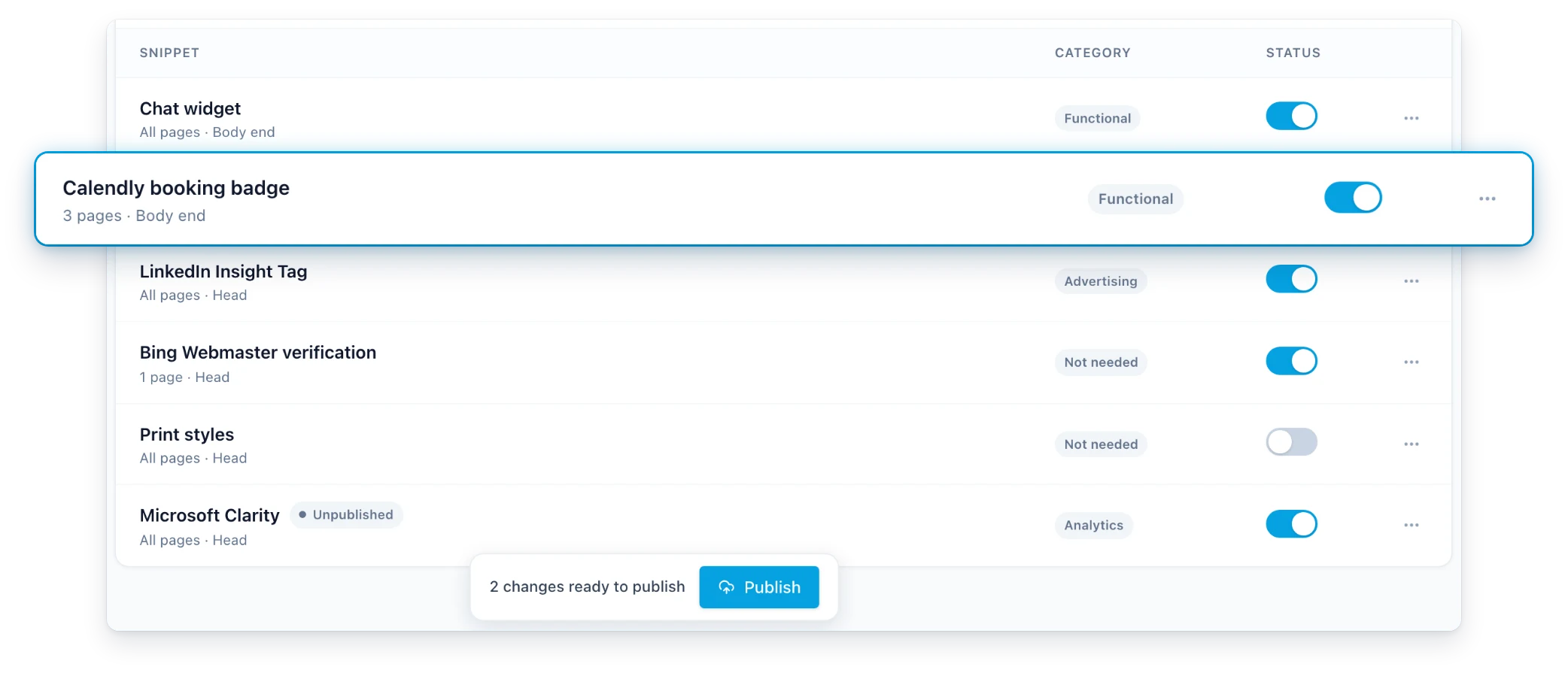
Kotafi's custom code list: a chat widget, a Calendly badge, a LinkedIn tag and more, each with its category and an on switch.

03 · Code blocks

Put calculators and widgets on the page where they belong.

Offer useful interactive tools without forcing every custom experience into a separate website.
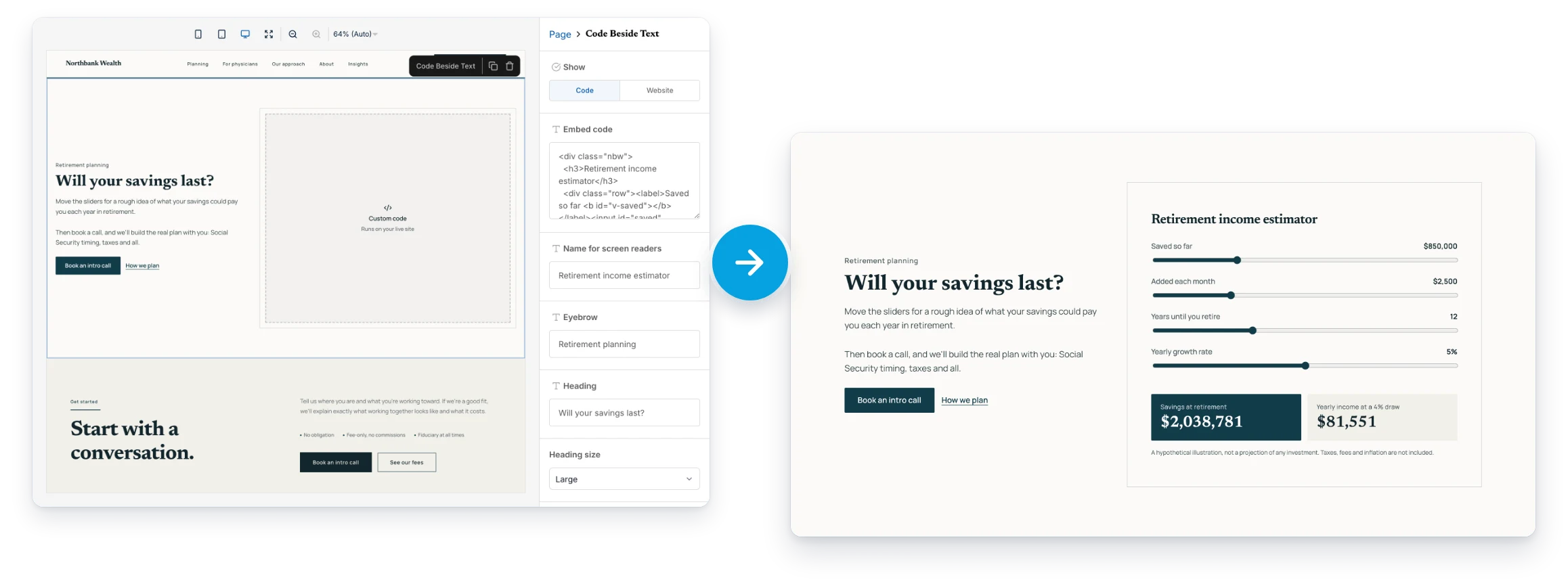
A code block in Kotafi's editor, and the retirement income estimator it runs on the live site.

04 · Privacy choices

Let visitors choose which tools can track them.

Present analytics, advertising, and functional choices in one clear visitor control.
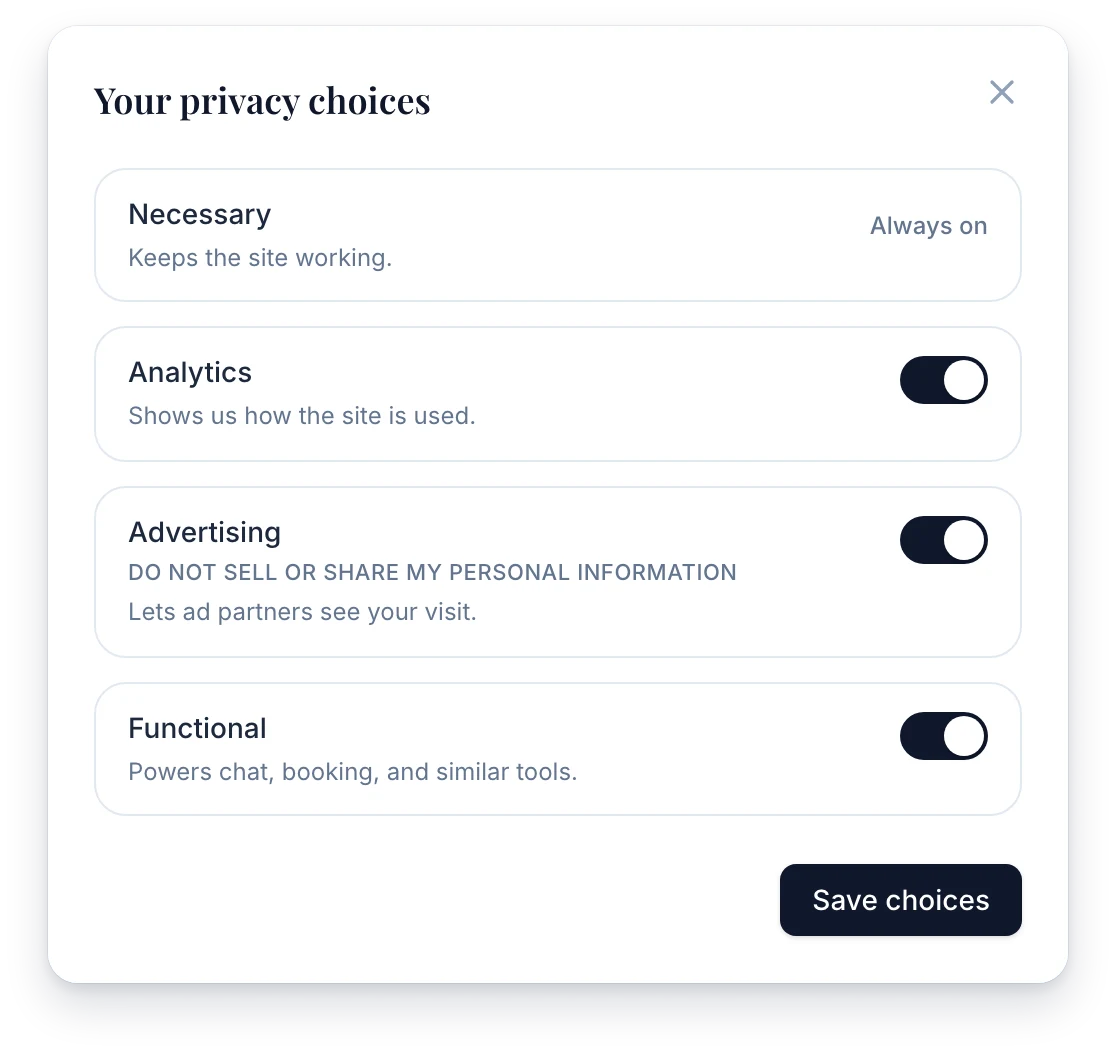
The privacy choices panel visitors see on the firm's site: analytics, advertising and functional tools, each with a switch.

05 · Privacy disclosures

Keep connected-tool disclosures organized.

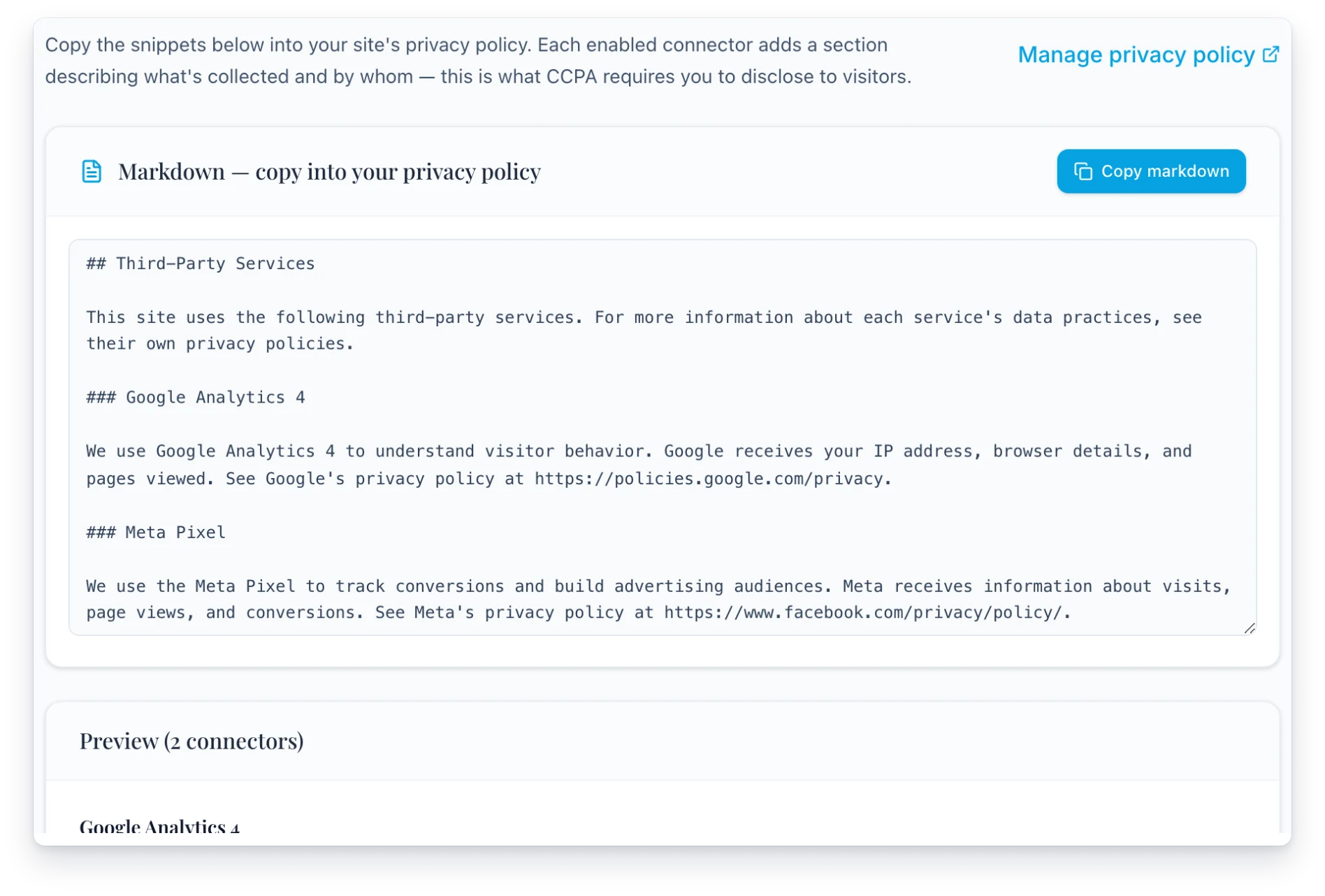
See the policy language associated with each connection so your firm has a clearer starting point for review.
Kotafi's privacy disclosures: policy text for each connected tool, ready to copy.

Flexible without becoming fragile

Add the tools you need while keeping the website manageable.

Firm administrators decide what is connected, where code runs, and which visitor choices and disclosures are presented.

01

Reduce developer dependency

Connect common services and approved custom code from a managed workspace.

02

Keep installations visible

See which tools are active instead of guessing what code is running across templates.

03

Give visitors clearer choices

Pair connected tools with privacy controls and disclosure text for firm review.

Questions

What firms usually ask.

Which tools can we connect?

Kotafi supports common analytics and advertising connections as well as approved custom-code integrations for other vendors.

Can we add our own calculator or widget?

Yes. Firm administrators can place approved code blocks on the relevant website page.

Does Kotafi provide legal privacy advice?

No. Kotafi can organize visitor choices and provide tool-related disclosure text as a starting point, but your firm should review its privacy obligations and final policy.

Who can manage integrations?

Connectors and custom code are intended for firm administrators so installations and permissions remain controlled.

Connect your marketing stack

Build a website that works with the tools your firm needs.

Create your site, connect the right services, and keep the experience managed in one place.

Create your site in 5 minutes →No credit card required