KOTAFI
Menu
Create a free video

Video marketing for financial advisors

Create professional videos in minutes.

Prepare a script with AI, record with a built-in teleprompter, and edit with plain-language requests. Add video to your marketing without becoming a video professional.

AI scripts and topic ideasBuilt-in teleprompterEdit with plain-language requestsPublish to your social accounts

A routine you can keep up with

Make video part of your marketing. Not another job.

You know what your clients care about. Kotafi helps turn that knowledge into videos, with one workflow from your first idea to your next post. No production team or video-editing experience needed.

01 · Ideas and scripts

Know what to talk about next.

Start with questions prospects ask, an article you have already published, or an idea of your own. Kotafi AI prepares a script you can edit, so you spend less time deciding what to say.Put your articles to work →
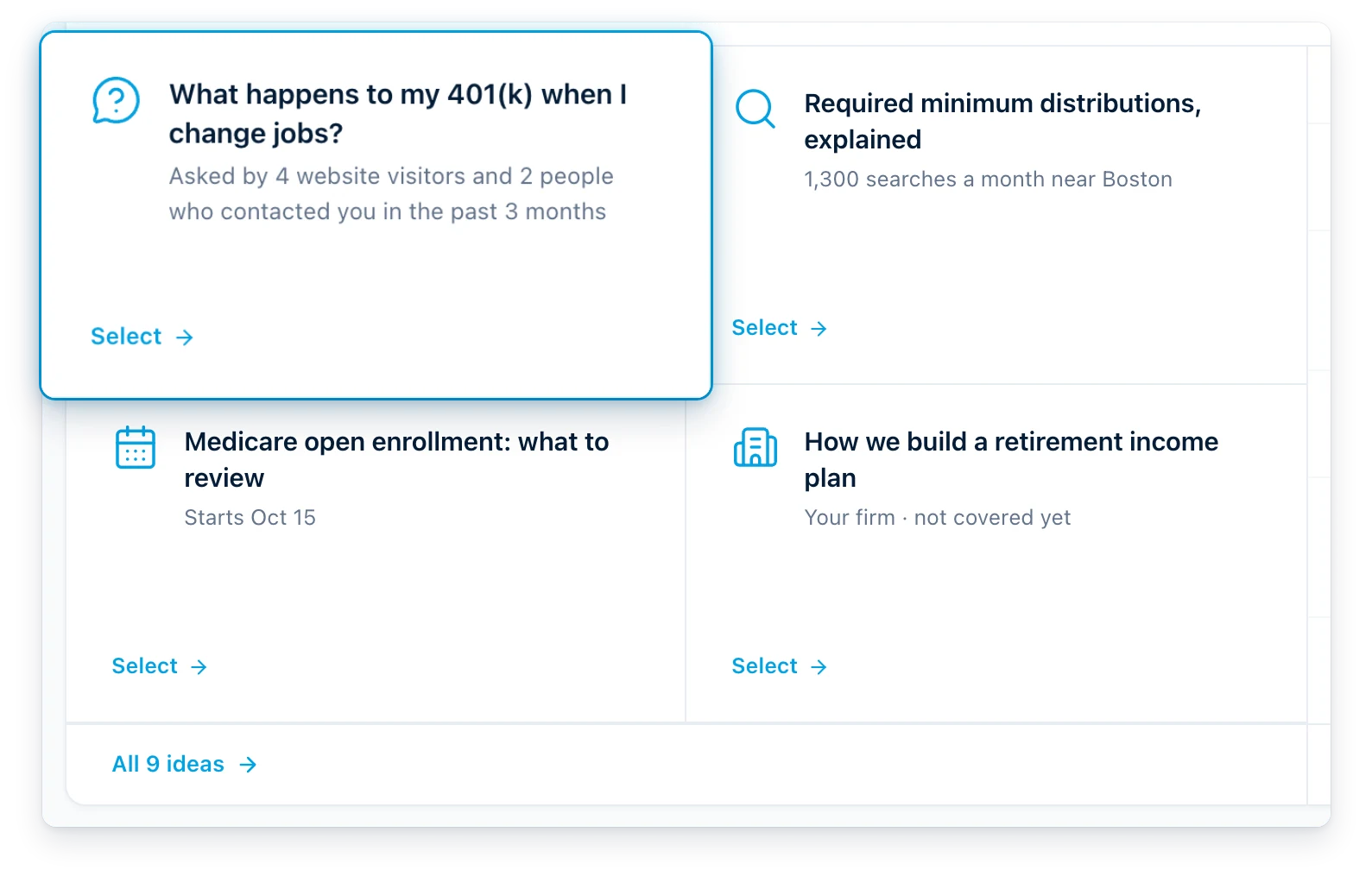
Video topic suggestions based on questions, local searches, and firm topics.

02 · Faster review

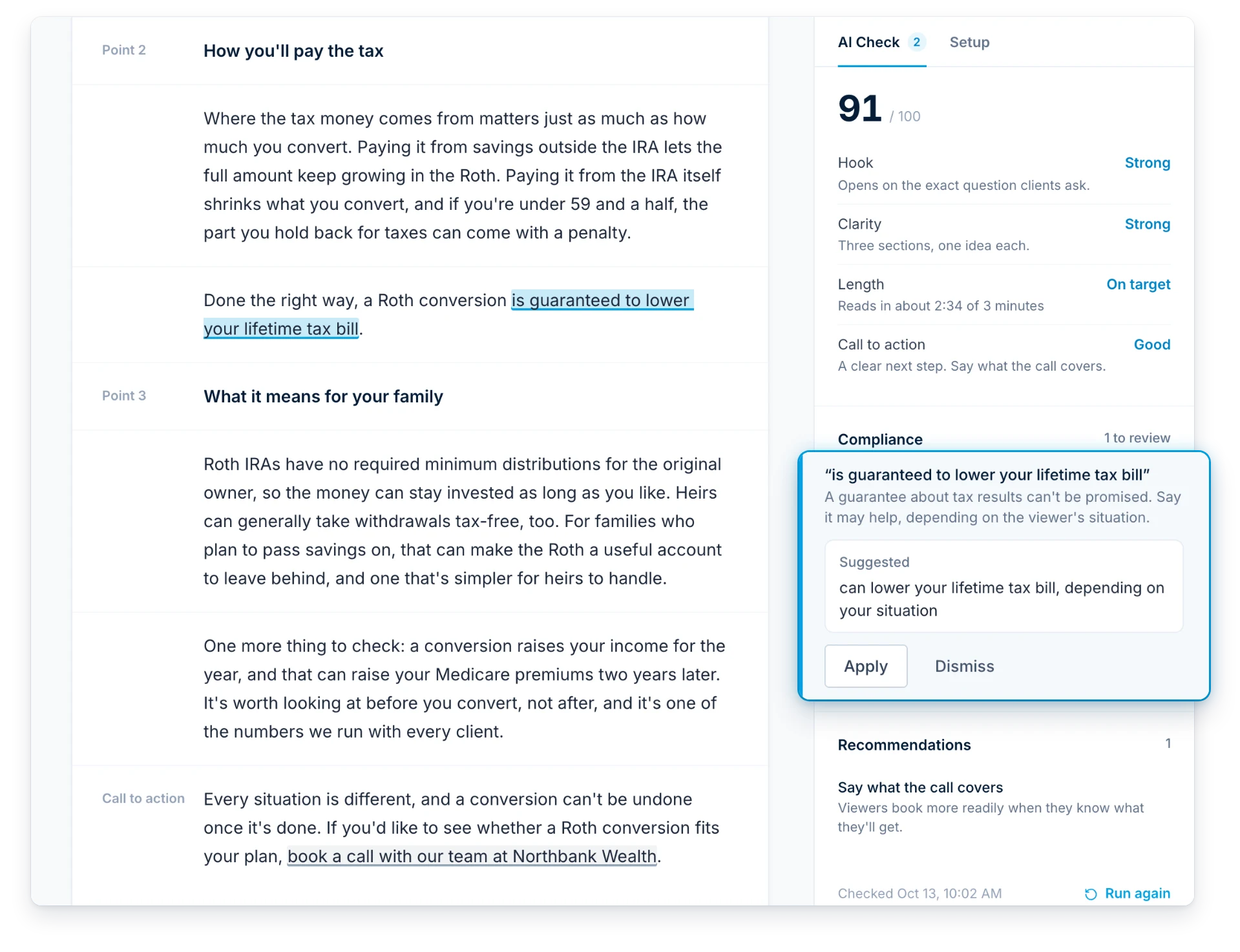
Catch potential compliance issues before you record.

Run an AI check on your script before turning on the camera. Review suggested changes early to reduce avoidable edits and re-recordings later.Explore your review workflow →
AI script check highlighting wording for the firm to review before recording.

03 · Easy recording

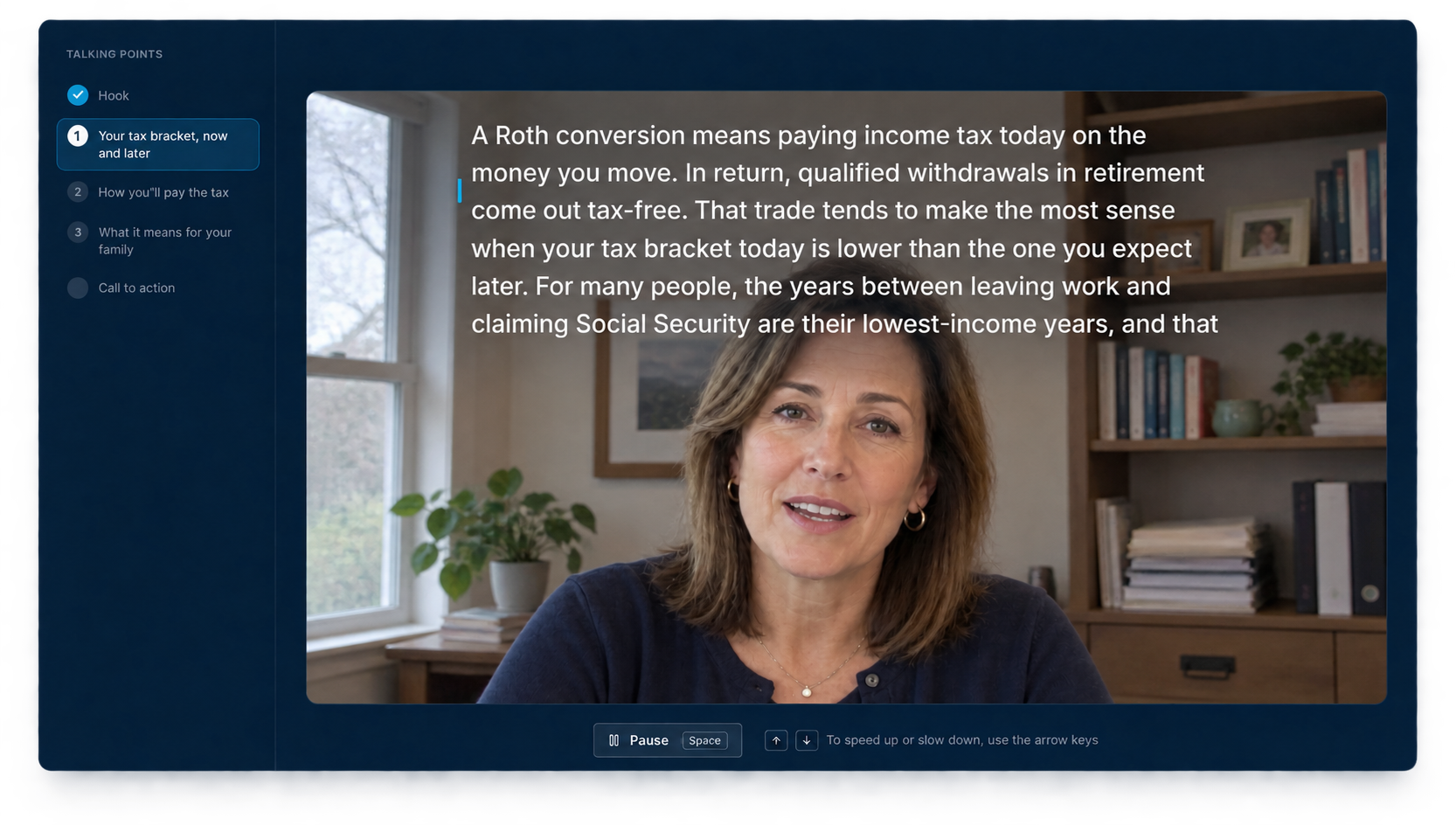
Record with your script right in front of you.

Open the recorder in your browser and follow the built-in teleprompter. Record on camera or use voice only, without memorizing lines or setting up a separate recording tool.
Browser recorder with a teleprompter beside an illustrative video preview of a woman advisor in a home study.

04 · AI video editing

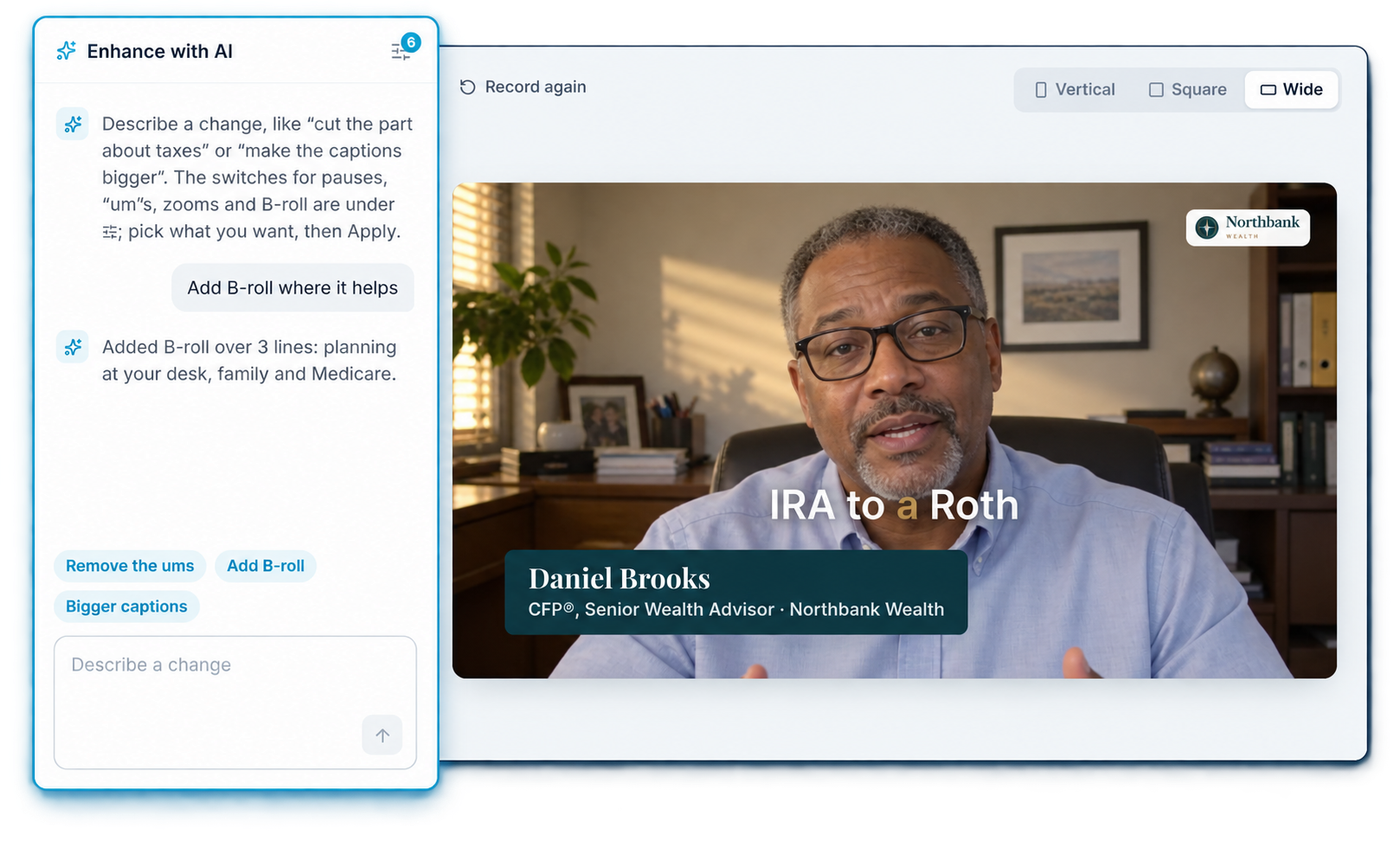
Polish your video without learning editing software.

Choose Enhance with AI to trim pauses and repeats, clean up audio, and add supporting footage. Ask for edits in plain language, then fine-tune captions, music, and branding when you want more control.
AI editing conversation beside an illustrative video preview of an advisor in a small office.

05 · Social publishing

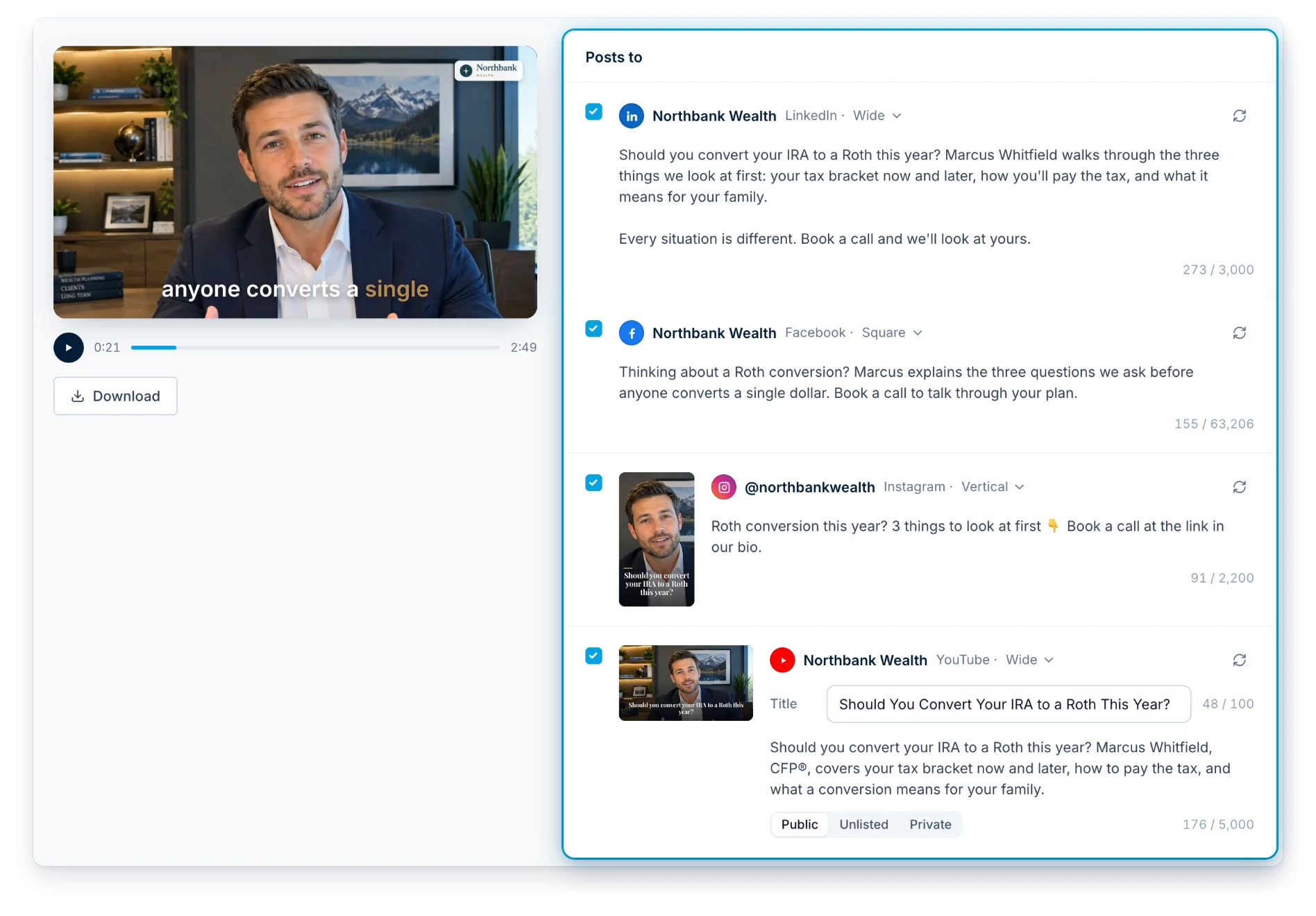
Share your video across your social accounts.

Choose your accounts and let Kotafi AI draft the post text for each one. Review your posts and publish from the same place you created the video, without rebuilding every post in a different app.Explore social media management →
Video publishing panel with connected social accounts and account-specific post text.

Your video compliance workflow

Move videos through review with less back-and-forth.

Check the script before recording, review what was actually said, and follow your firm’s selected approval workflow before publishing.

01

Pre-screen your script

Ask Kotafi AI to flag potential compliance issues and suggest wording changes before you record.

02

Review the recorded transcript

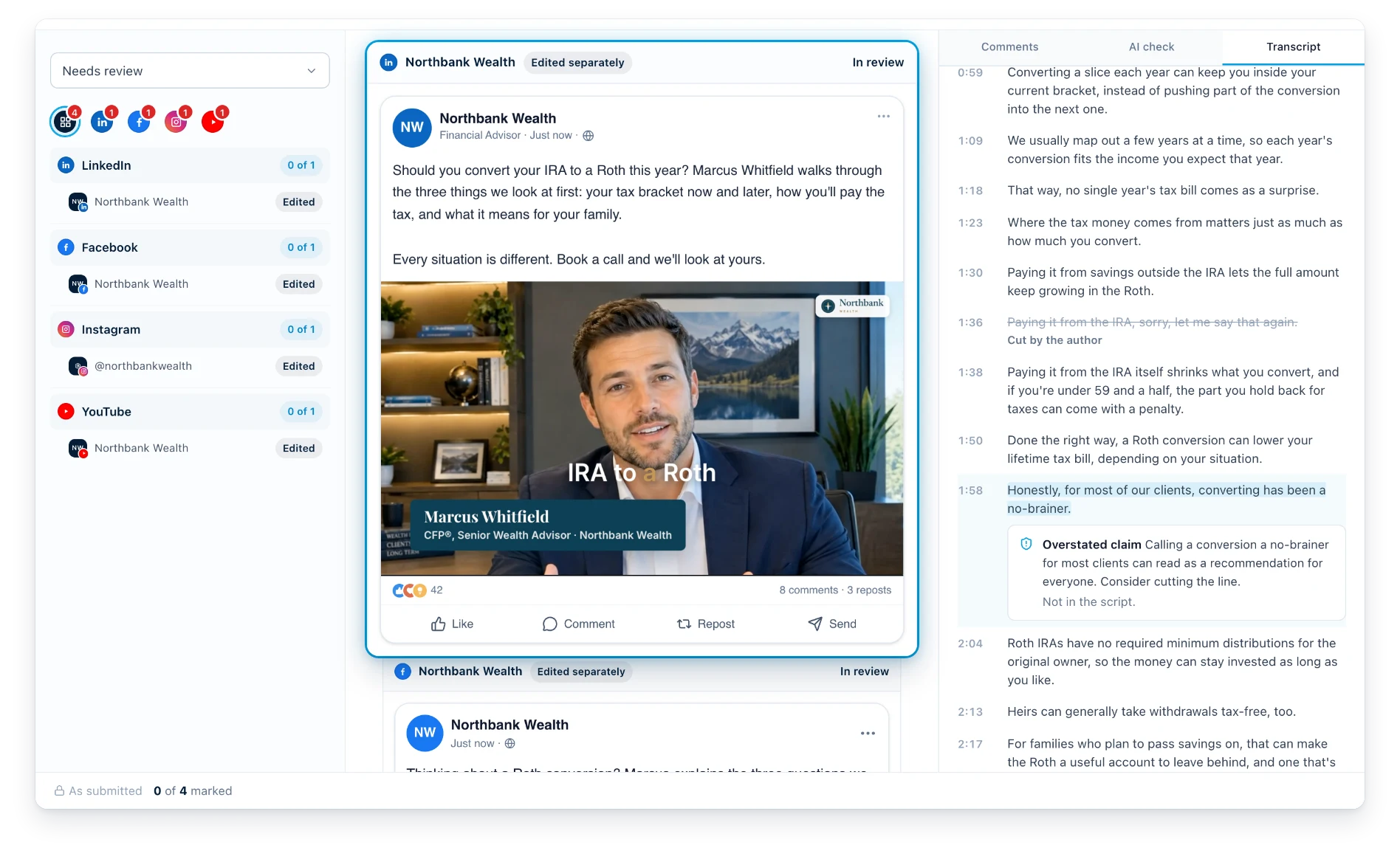
See timestamped lines with cuts marked. Run a wording check to flag potential issues, including statements that went off script, without replaying the whole video to find them.

03

Review the video and its posts together

Give reviewers the video, transcript, and social posts in one review workspace so they can assess what your audience will see.

04

Follow your firm’s approval workflow

Make the requested changes and complete your selected review process before publishing. Your firm makes the approval decisions.

Video compliance review showing the social post preview beside its timestamped transcript and a flagged statement.

Questions

What firms usually ask.

Do I need video-editing experience?

No. Record in your browser with a teleprompter, then choose Enhance with AI to clean up your take. Ask for changes to cuts, captions, and supporting footage in plain language. The timeline is available for finer adjustments.

Can I turn an article into a video?

Yes. Choose a published article and Kotafi AI prepares a script. Edit it yourself or ask AI for changes before recording.

Do I have to appear on camera?

No. You can record on camera or use voice only. Add supporting footage from stock video or your firm’s photos.

How does review work for videos?

Run an AI check on the script before recording, then review the recorded transcript with timestamps and cuts marked. AI highlights potential issues, and your firm makes the review decisions through its selected workflow.

Can I publish to more than one social account?

Yes. Choose your connected accounts and Kotafi AI prepares text for each one. You can review and edit the posts before publishing.

One connected platform

Your social media. Connected to the rest of your marketing.

Turn articles into posts and videos, bring visitors back to your website, and keep review connected to the content. It all works together in Kotafi.

Start with one video

Make your next idea a video worth sharing.

Pick a topic, prepare your script, and try an easier way to create videos for your firm.

One connected marketing system

See what else Kotafi has to offer.

AI-Powered Websites

Build a website around your firm’s expertise, audience, and offices. Keep improving it with AI.

Explore websites

Social Media Management

Turn your firm’s ideas into posts. Plan publishing and manage replies in one place.

Explore social media

Email Marketing

Stay top of mind with branded emails, smart lists, and automated follow-up for clients and prospects.

Explore email marketing