KOTAFI
Menu
Create your site

AI chatbot for financial advisors

Turn visitor questions into your next conversation.

Add a chatbot that already knows your firm. Answer questions from your content, suggest useful resources, and collect names and emails so your team can follow up.

Uses your firm’s contentCaptures leads in the chatLinks to your scheduling pageKeeps conversation records

Helpful after hours, too

Put the content you already have to work in every chat.

Kotafi uses your published pages, Firm Profile, team Profiles, lead magnets, and information you add. You do not have to build a knowledge base from scratch.

01 · Set up and preview

Make the chatbot sound like your firm.

Choose its name, welcome message, tone, and main button. A live preview lets you see the experience before it goes on your site.
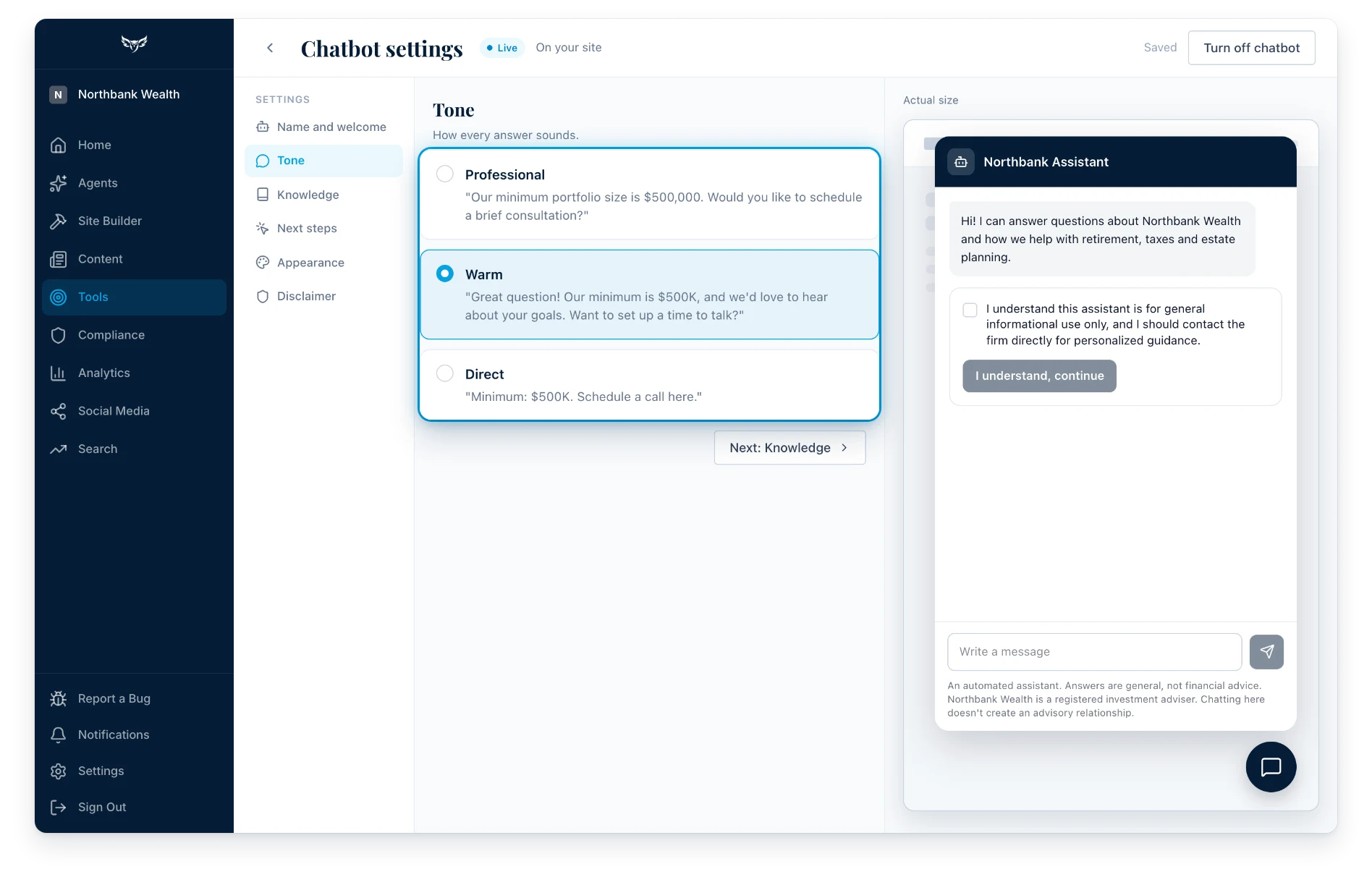

Chatbot settings in Kotafi: steps for Name and welcome, Tone, Knowledge, Next steps, Appearance and Disclaimer, the Tone step with Professional, Warm and Direct and a sample line for each, and the real chatbot shown beside it.

02 · Capture the conversation

Collect contact details without leaving the chat.

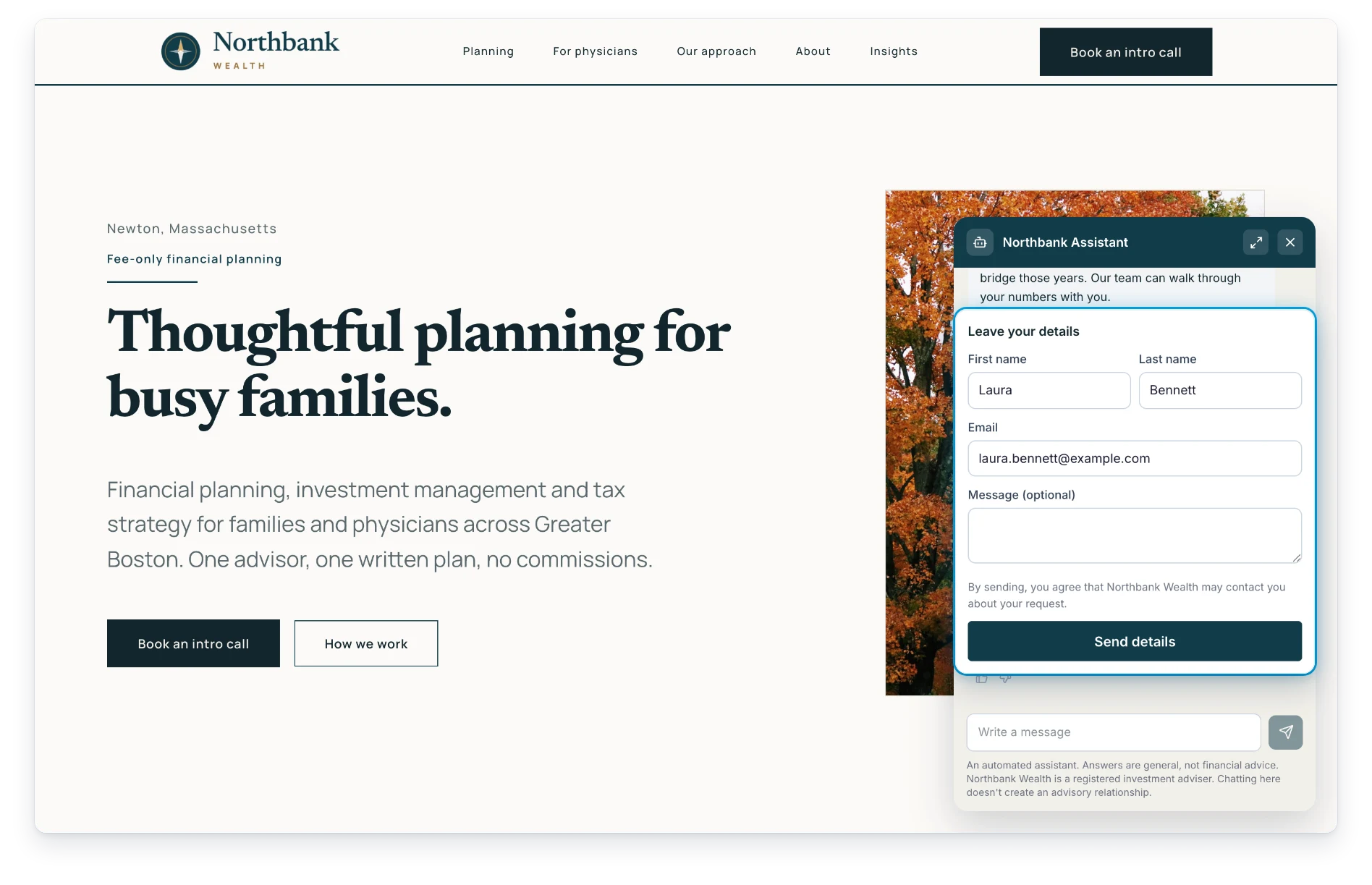
Visitors can share their name and email right in the conversation. Kotafi creates a lead with the chat attached, so your team knows what prompted the inquiry.
The chatbot's Leave your details form inside the chat on a firm's website, with the visitor's first name, last name and email filled in and a Send details button.

03 · A useful next step

Point visitors to your calculators and guides.

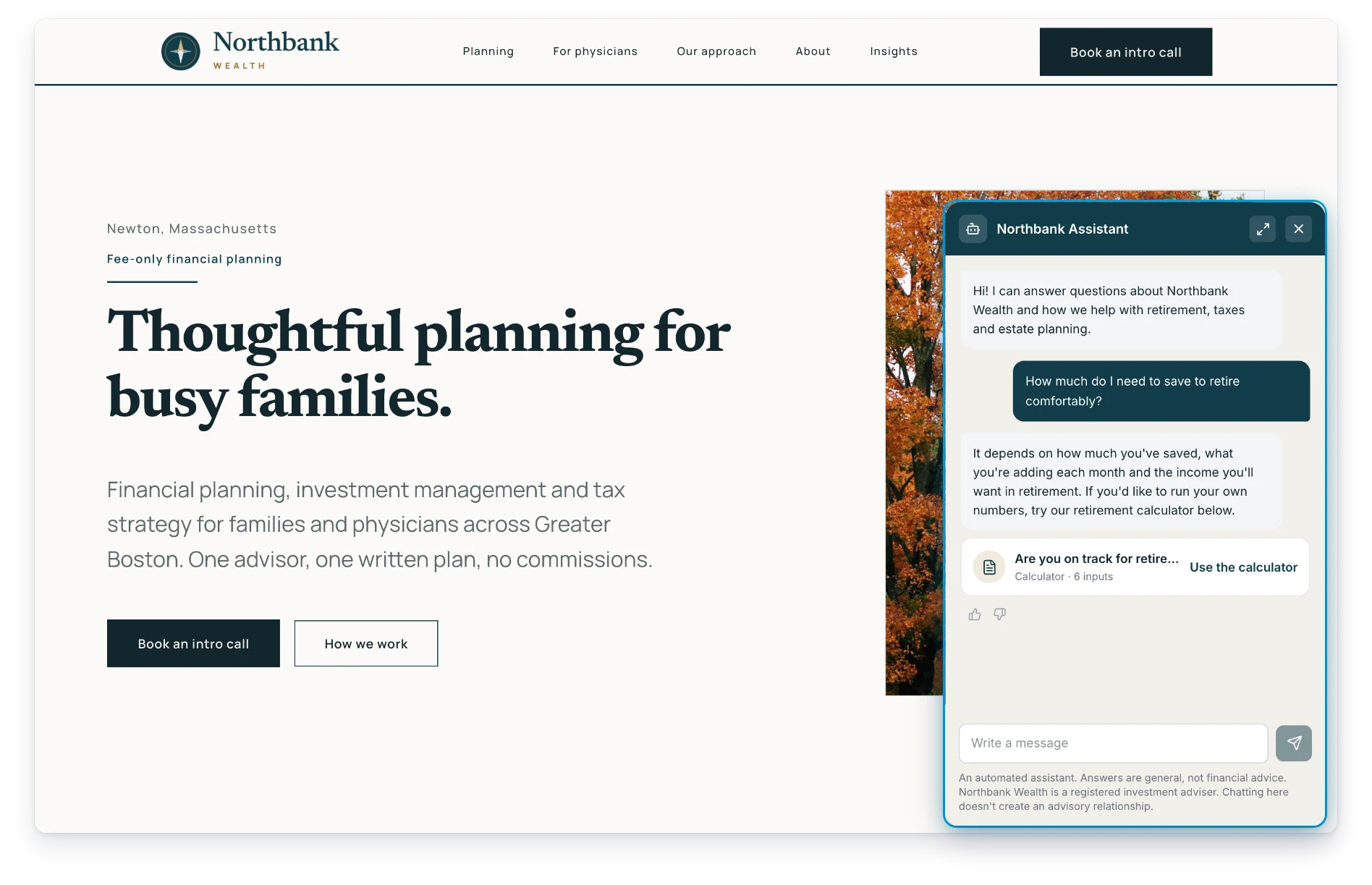
When a question fits, the chatbot can suggest a relevant lead magnet. Your main button can also open the firm’s scheduling link so visitors can take the next step.Explore lead magnets →
The chatbot answering how much to save for retirement and suggesting the firm's own retirement calculator, with a Use the calculator button.

04 · Firm controls

Set expectations before the first question.

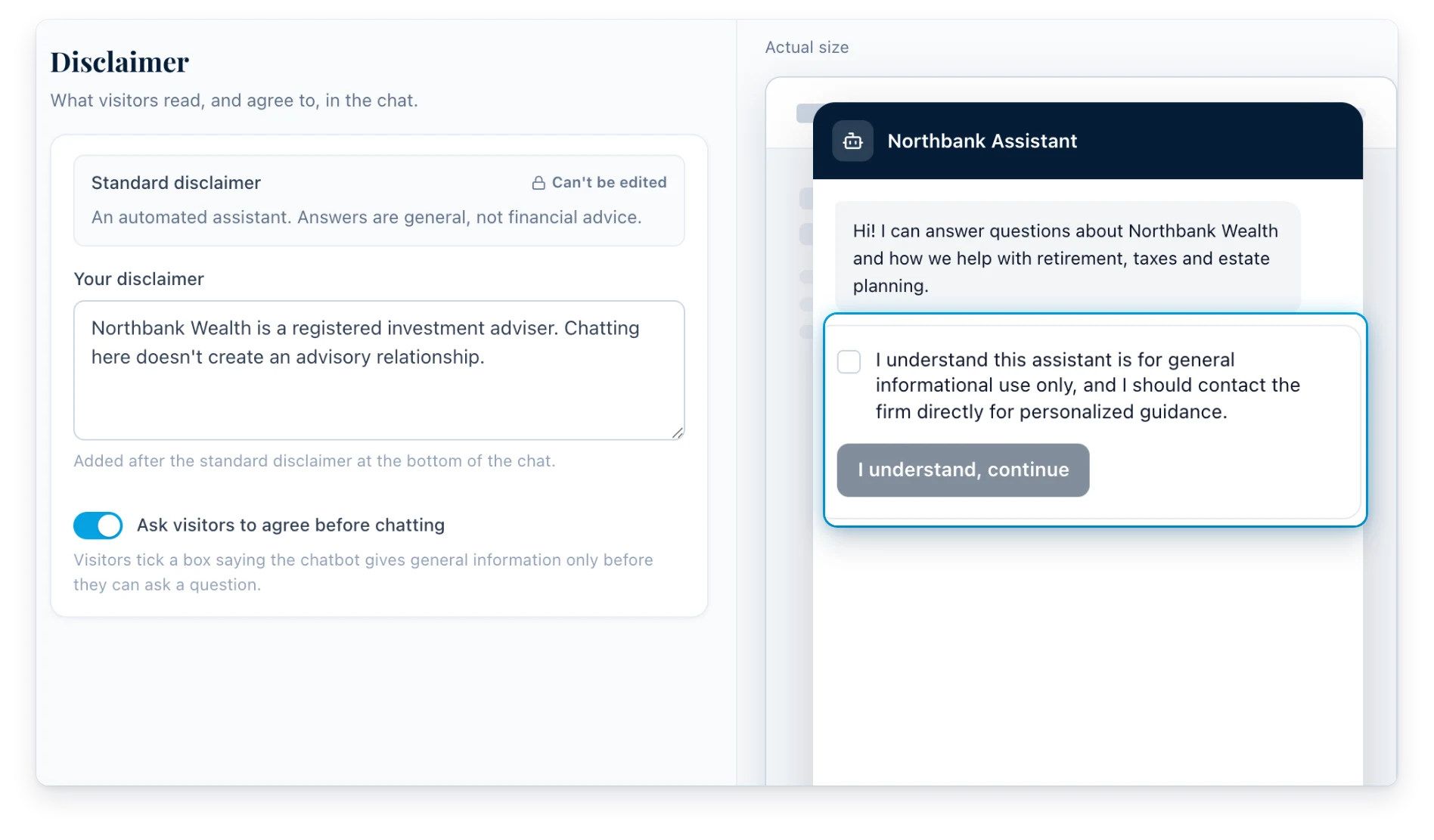
Add your firm’s disclaimer and ask visitors to agree before chatting. Built-in limits are designed to decline personalized investment, tax, and legal advice and direct visitors to your team.
The chatbot's Disclaimer settings: a standard disclaimer that can't be edited, the firm's own disclaimer, and Ask visitors to agree before chatting turned on, with the chatbot beside it asking the visitor to tick a box before the first question.

05 · Improve the answers

Turn unanswered questions into useful FAQs.

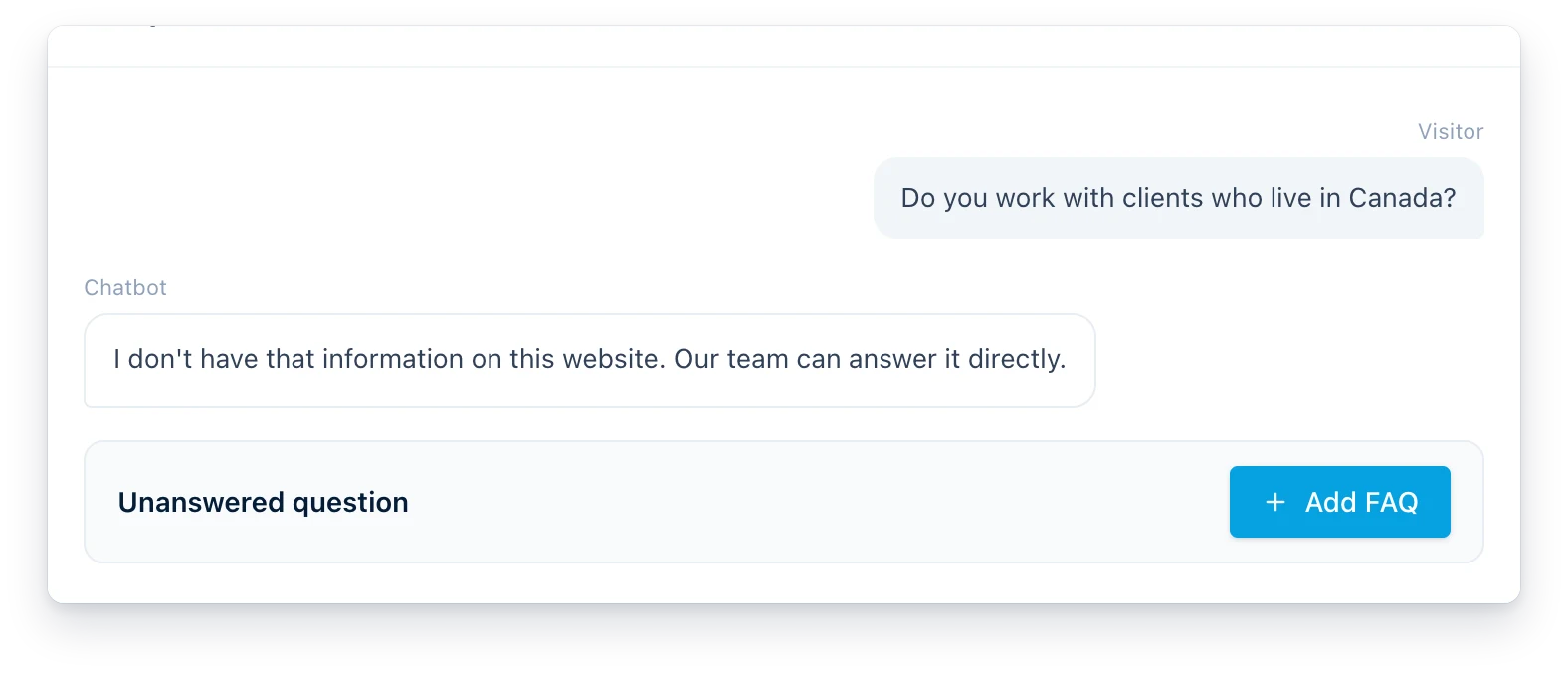
Review conversations, see where information was missing, and add an FAQ. Give the next visitor a clearer answer using the questions prospects actually ask.
A logged chatbot conversation where a visitor asked a question the website doesn't answer, marked Unanswered question with an Add FAQ button.

From website interest to personal follow-up

Start the conversation with context.

Your firm controls the content and disclaimer. AI responses can be wrong, so review conversations and keep firm information current. Product screens show fictional demo data.

01

Help visitors while you are with clients

Answer common questions from your firm’s content, including after hours.

02

Know what each prospect asked

Keep contact details and the conversation together instead of starting follow-up from a blank form.

03

Leave personal advice to your team

The chatbot is designed to decline personalized advice and offer a path to an advisor.
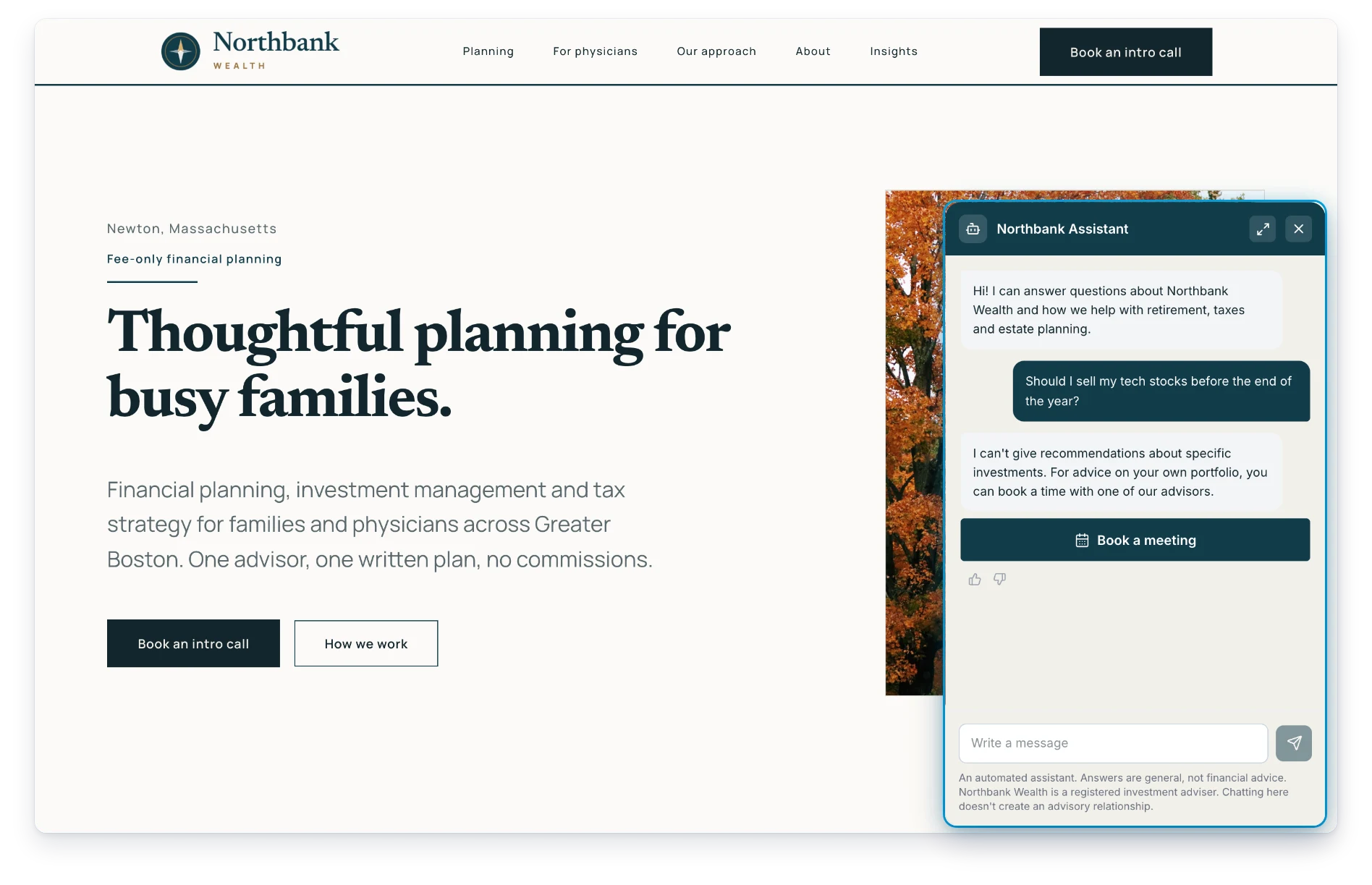
A financial firm's website with its chatbot open: a visitor asks whether to sell their tech stocks before the end of the year, and the chatbot replies that it can't give recommendations about specific investments and offers a Book a meeting button.

Questions

What firms usually ask.

What information does the chatbot use?

It uses your firm’s published pages, Firm Profile, team Profiles, lead magnets, and information you add. You can build on content your firm already has.

Can the chatbot capture a lead?

Yes. A visitor can share their name and email within the chat. Kotafi creates a lead with the conversation attached for your team’s follow-up.

Does the chatbot book meetings?

Its main button opens your firm’s scheduling link. It does not book the meeting itself.

Does it give personalized financial advice?

Built-in limits are designed to decline personalized investment, tax, and legal advice. The chatbot provides general information and points visitors to your team. AI responses can still be wrong.

Can visitors agree to our disclaimer first?

Yes. Add your firm’s disclaimer alongside the standard disclaimer and enable agreement before chatting.

How do we improve answers over time?

Review the conversation log and unanswered questions. Add missing FAQs and update firm information to address the gaps you find.

One connected platform

More than a website. A complete marketing platform.

Build your firm’s online presence, publish useful articles, and turn your expertise into social posts and videos. Kotafi connects the work, with AI to help you create and your firm’s review process built in.

Give website visitors a helpful next step

Create a website that keeps the conversation going.

Build your firm’s site, add your chatbot, and follow up with the context prospects have already shared.

Create your site in 5 minutes →No credit card required