KOTAFI
Menu
Create your site

Lead magnets for financial advisors

Turn visitors into leads with calculators and guides.

Offer a useful result or resource in exchange for a name and email. Create branded calculators, quizzes, and gated guides, then see where each lead came from.

16 ready-made templatesEditable words and disclosuresPDF results by emailLead and conversion tracking

More than a contact form

Make your expertise useful before the first meeting.

Help visitors explore a planning question or download a guide. Kotafi connects that first interaction to a lead record, so your team can follow up knowing what caught their interest.

01 · Ready-made templates

Launch a useful tool without building it from scratch.

Start with 16 templates: nine calculators, five quizzes, a checklist, and a newsletter sign-up. Choose a topic that matters to the prospects you want to reach.
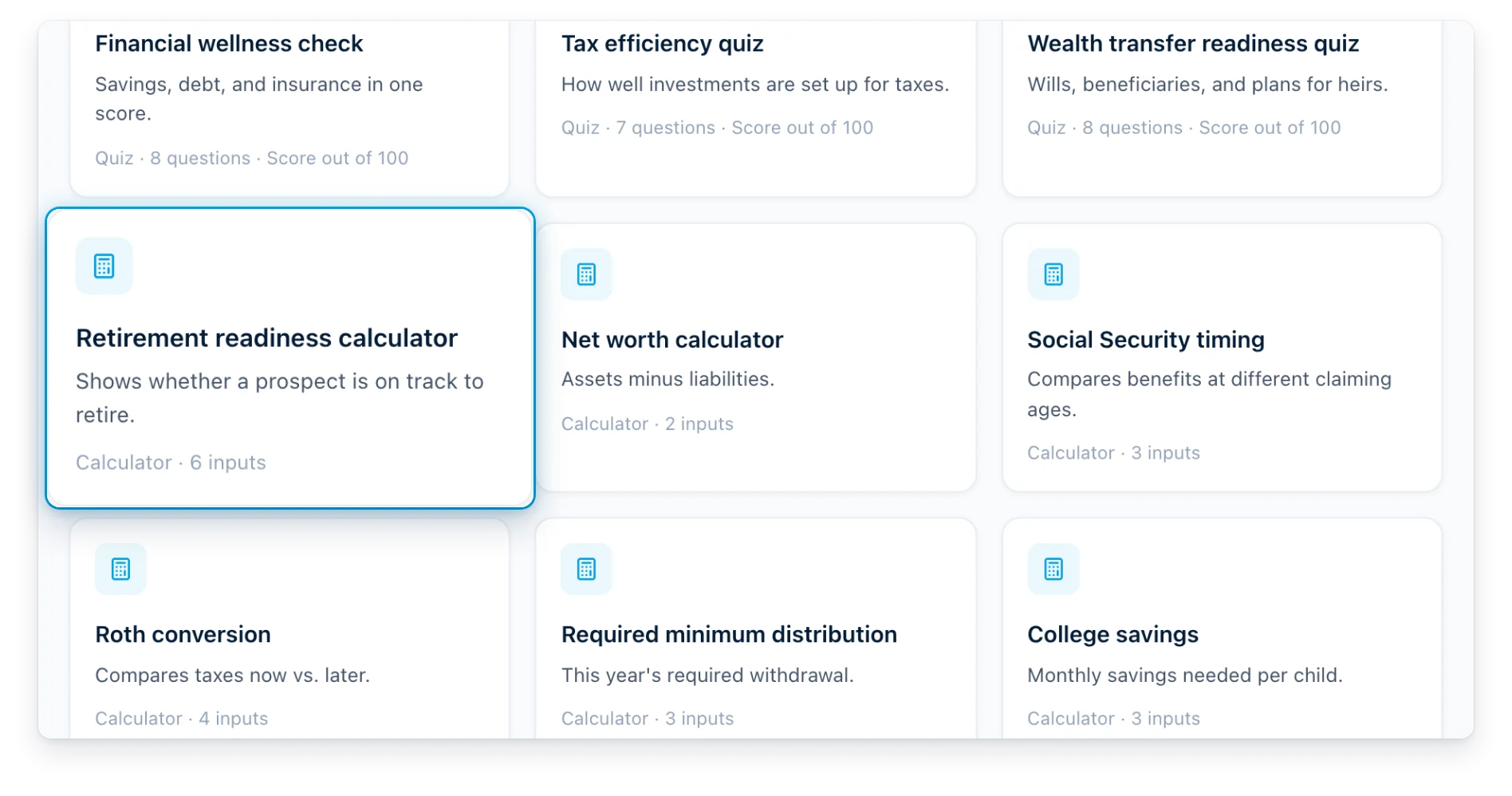

Kotafi's New lead magnet page: templates for a newsletter sign-up, quizzes, calculators such as retirement readiness, net worth, Social Security timing, Roth conversion, required minimum distributions and college savings, and a checklist. The retirement readiness calculator is enlarged.

02 · Customize and preview

Make the questions and results your own.

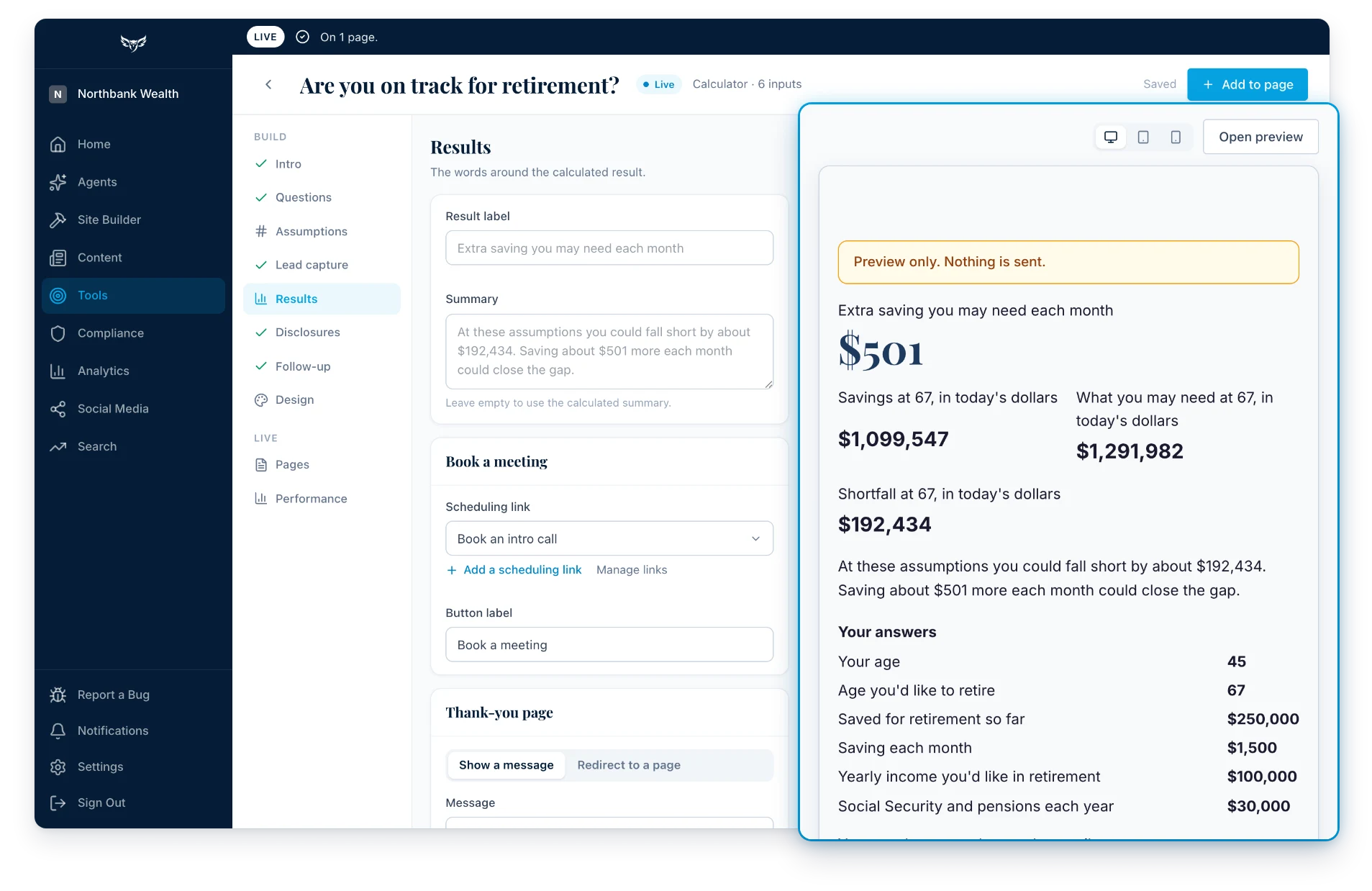
Edit the words, assumptions, results, and follow-up with a live preview. Style the block in your site editor. Your firm must confirm its disclosures before the lead magnet can be added to a page.
The lead magnet builder: steps for Intro, Questions, Assumptions, Lead capture, Results, Disclosures, Follow-up and Design, the Results step open, and a live preview of the calculator's result, $501 extra saving a month.

03 · Capture interest

Give visitors results. Give your team a starting point.

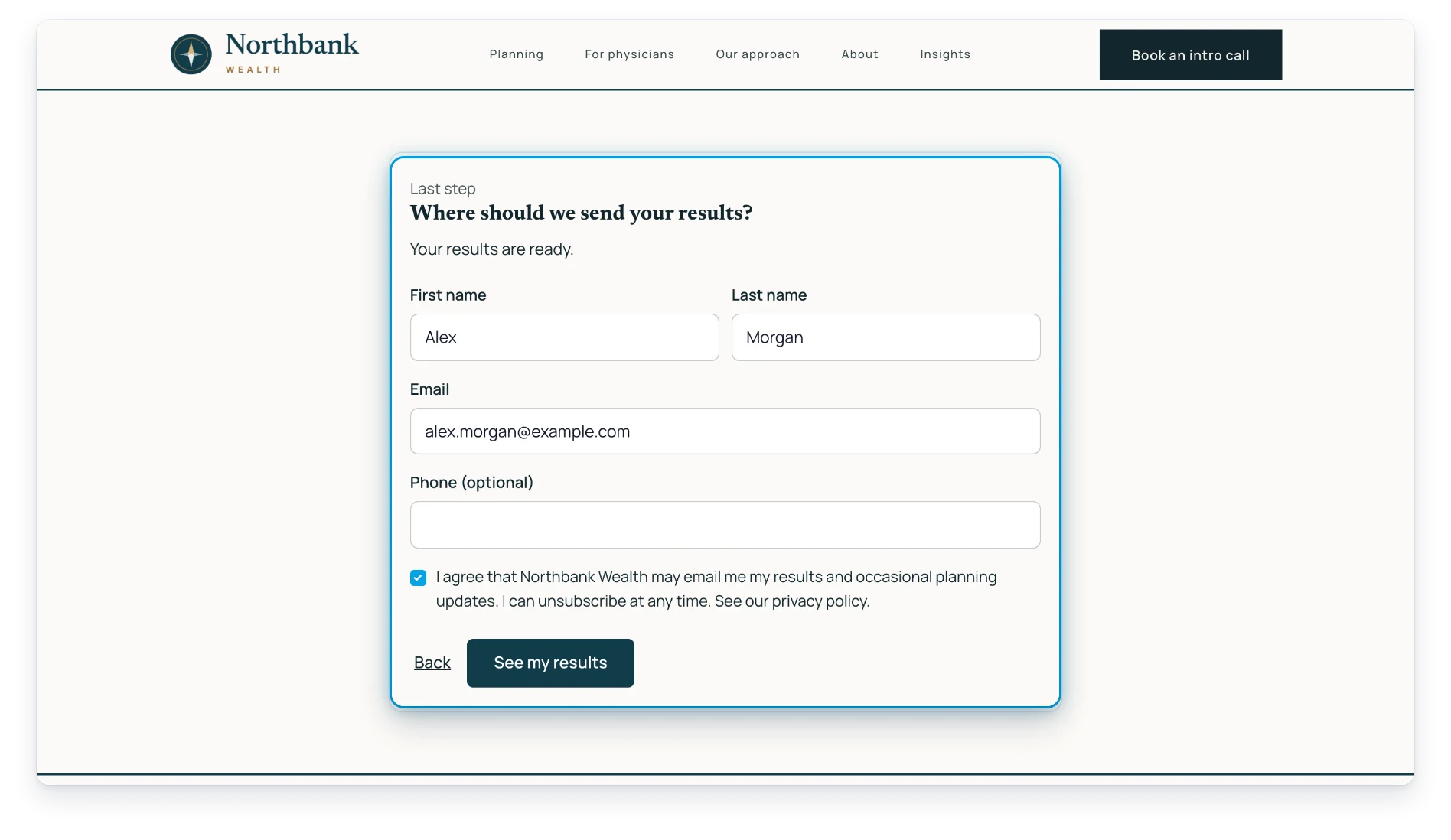
Ask for a name and email before showing results. Visitors see an answer based on their inputs and receive their results as a PDF by email, with a link to your firm’s scheduling page.
A retirement calculator on a financial firm's website at its last step, Where should we send your results?, with first name, last name and email filled in and a See my results button.

04 · Gated guides

Turn a guide you already have into a reason to connect.

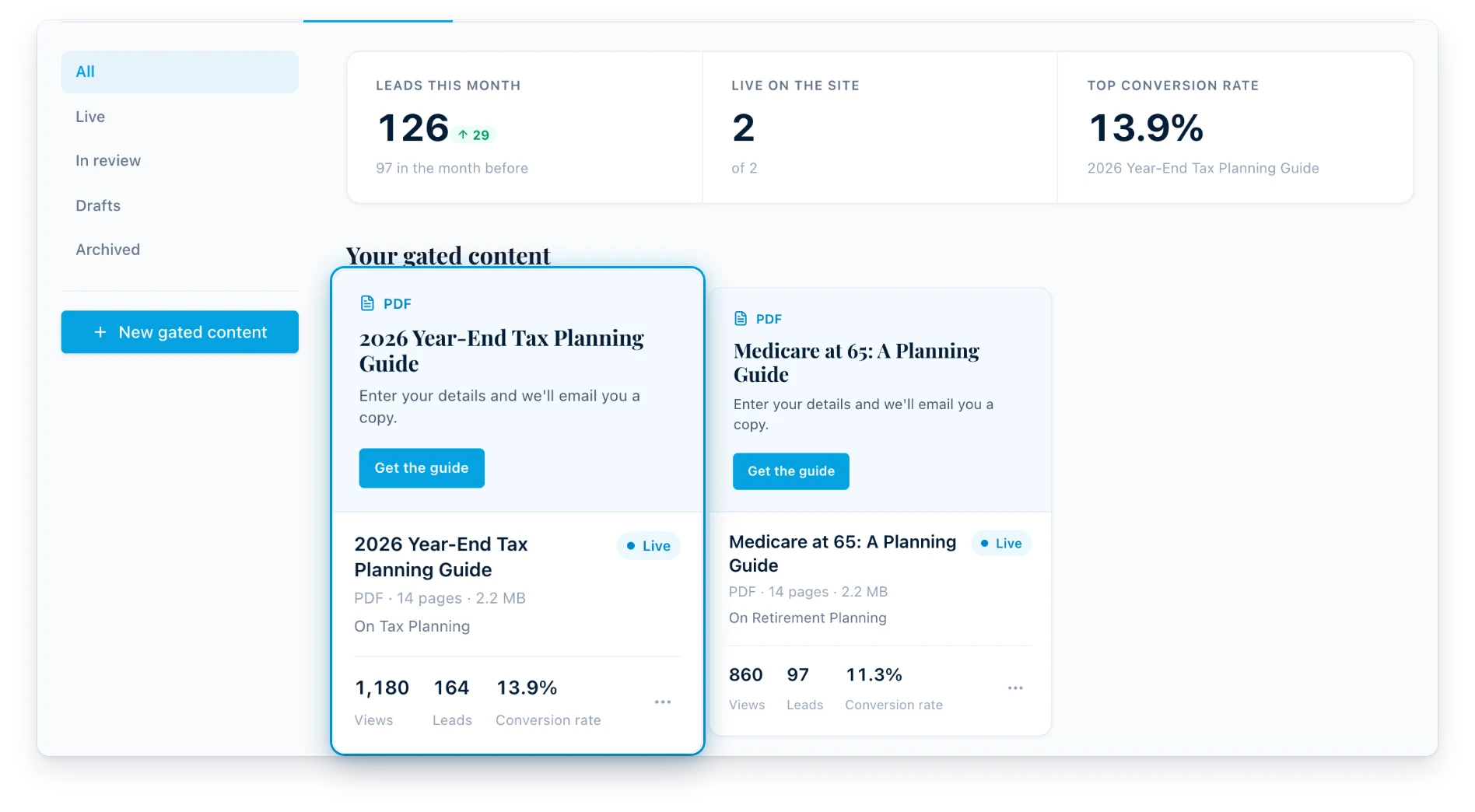
Add your firm’s own PDF under Gated content. Visitors share their details to get the guide, and your team can see which resource earned their attention.
Kotafi's Gated content tab: two guides, a year-end tax planning guide and a Medicare guide, each live on a page with its views, leads and conversion rate.

05 · Measure and improve

See which lead magnets bring people closer to a conversation.

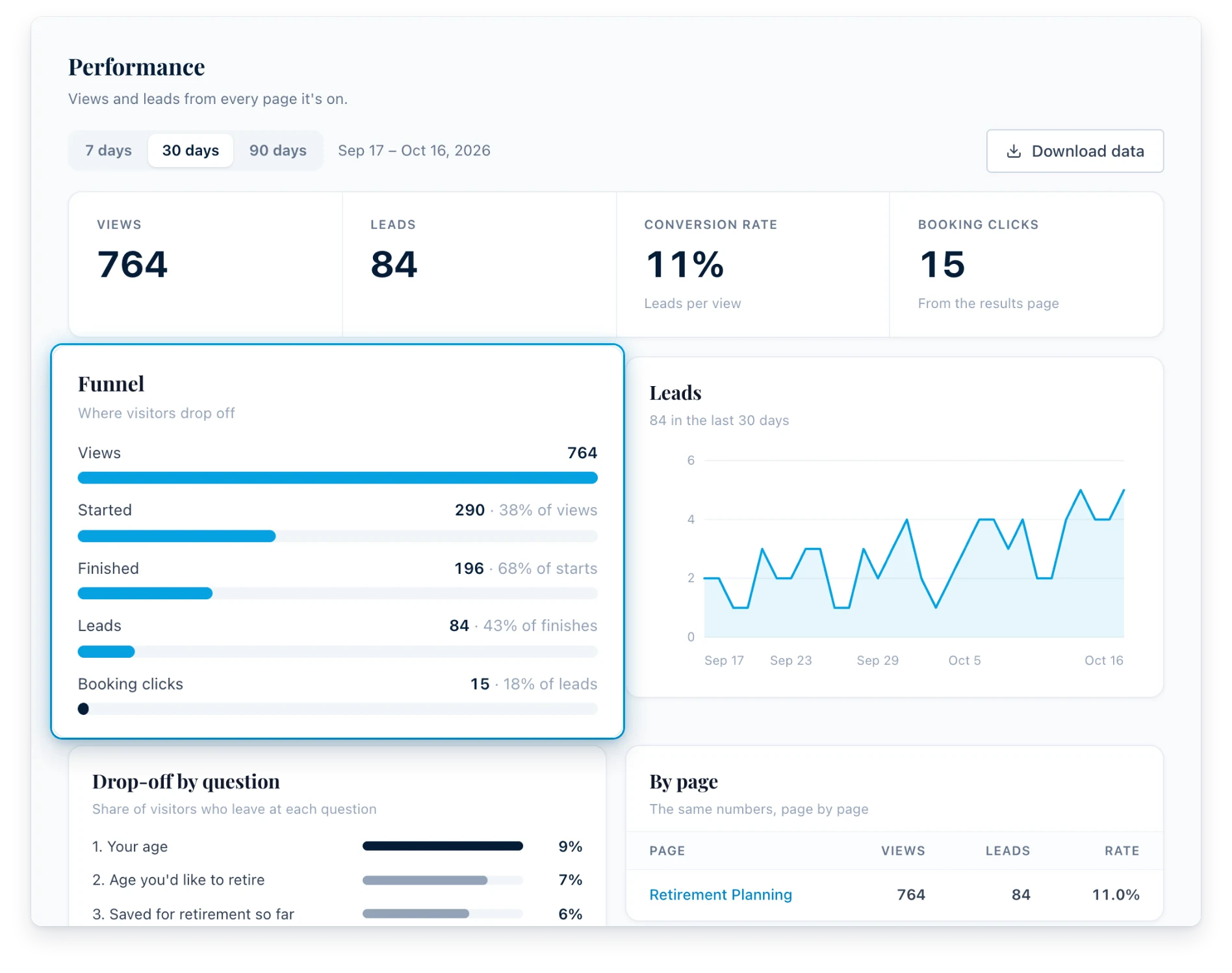
Track views, starts, finishes, leads, conversion, and drop-off by question. Booking clicks show who clicked your scheduling button, not how many meetings were booked.
A lead magnet's Performance page: views, leads, conversion rate and booking clicks over 30 days, a funnel from views to started, finished, leads and booking clicks, leads per day, and drop-off by question.

Make follow-up more personal

Know what brought each prospect to your firm.

Your firm writes and owns its disclosures and must confirm them before adding a lead magnet to a page. Calculated results are educational illustrations, not personalized advice. Product screens use fictional demo data.

01

Keep the source with the lead

See which calculator, quiz, guide, chatbot, form, or page prompted someone to reach out.

02

Give visitors something to keep

Email their results as a PDF so they can return to the information after leaving your site.

03

Focus on what helps people engage

Use conversion and drop-off reporting to decide which questions and offers to improve.
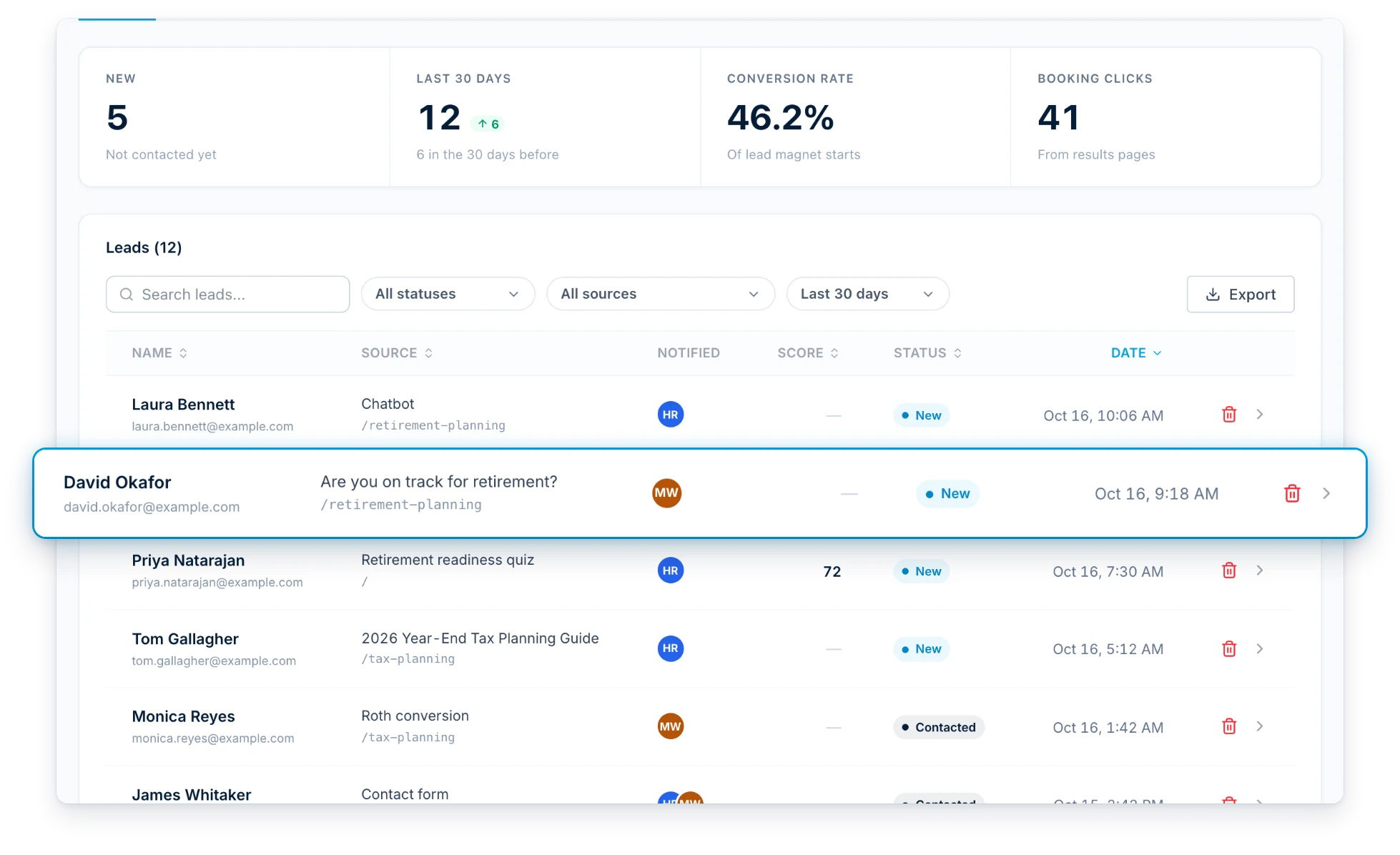
Kotafi's Leads tab: new leads, leads in the last 30 days, conversion rate and booking clicks, and a table of leads with the lead magnet, chatbot, guide or contact form each came from and the page. One lead, from the retirement calculator, is enlarged.

Questions

What firms usually ask.

Which templates are included?

There are 16 ready-made templates: nine calculators, five quizzes, one checklist, and one newsletter sign-up. Your firm can edit the words to fit its audience.

Can we offer a guide we already created?

Yes. Add your firm’s own PDF under Gated content. Visitors provide their contact details to get the guide.

What happens after a visitor completes a calculator?

They share their name and email to see their result. Their results are also emailed as a PDF. Your firm can see the lead and its source for follow-up.

How do result emails work with email marketing?

Result emails deliver the resource a visitor requested. Connect a lead magnet to an email campaign to follow up with relevant next steps while their interest is fresh.

Who is responsible for the disclosures?

Your firm writes and owns the disclosures. Someone at the firm must confirm them before the lead magnet can be added to a page. Kotafi does not replace your firm’s review.

Are booking clicks the same as meetings booked?

No. Booking clicks measure clicks on the Book a meeting button. They do not confirm that a visitor completed a booking.

One connected platform

More than a website. A complete marketing platform.

Build your firm’s online presence, publish useful articles, and turn your expertise into social posts and videos. Kotafi connects the work, with AI to help you create and your firm’s review process built in.

Give interest somewhere to go

Build a website that starts better conversations.

Create your firm’s site and add useful calculators, quizzes, and guides that help visitors take the next step.

Create your site in 5 minutes →No credit card required